User Queries Overview
Main Street Sites includes a powerful report builder that you can use to create customized reports (queries) and save them to run whenever necessary. This enables you to retrieve information about your business above and beyond the standard reports that are already provided in Main Street Sites. (For information running standard reports, see Working with reports.)

You can add, edit and delete user queries just like other data you've created for your business (teachers, semesters, etc.). You can easily copy a query that you like and use it as a basis for a new user query.
You can run two different types of queries – detailed or summary:
- Detailed—Use this option to generate lists based on your search criteria.
- Summary—Use this option for calculating counts, totals, averages and more.
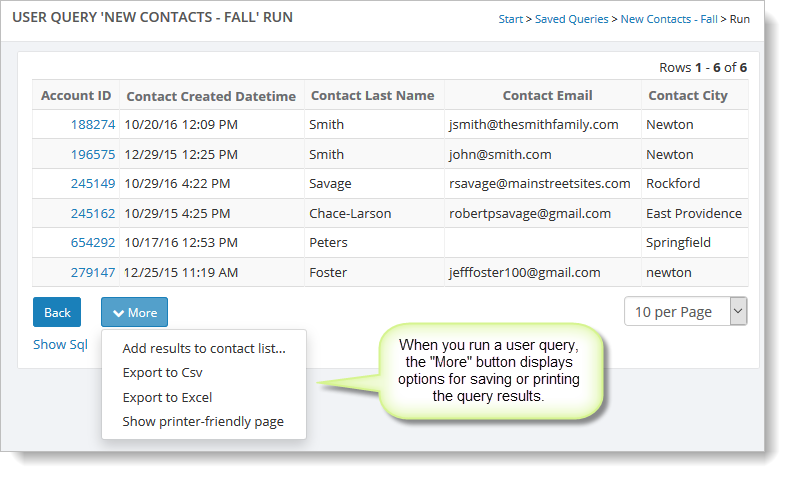
When you run the report, you will see the results within Main Street Sites. You can choose to print the report or export it as an Excel spreadsheet or a CSV (comma-delimited) file.
Query Results:
Working in other parts of Main Street Sites, you can send an email to or print address labels for the contacts listed in a saved query. (For more information, see Send emails and Working with reports.)
To get started with user queries, see both of these topics:
When you are ready to run a user query, see Running a user query.