Class Settings
The Class Settings page at Setup > Settings > Class Settings lets you specify formatting for your classes for when they appear on the calendar page.
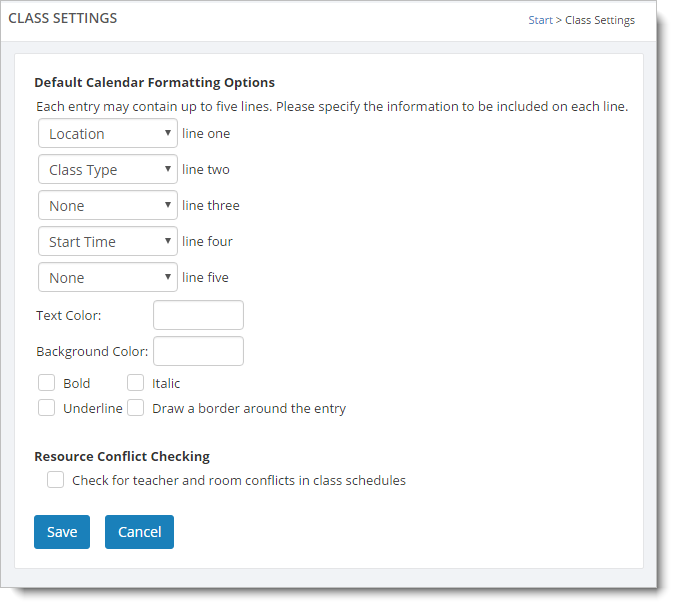
The first section of the calendar formatting settings involves selecting which data columns to display for your classes. In the above example, the calendar entries will show "Location", "Class Type" and "Start Time" for each class.
You can set a color for the font and the background of your classes when they appear in calendar.
Note: Calendar formatting can be updated on an individual class basis as well. This is done by going to Manage > Classes, selecting a class to edit it, and going to the "Calendar Formatting" tab.
You can check the box for the "Resource Conflict Checking" option if you want Main Street Sites to automatically check for teacher scheduling problems when you schedule classes and appointments.