Notification Templates
The Communications > Settings > Notification Templates pages allows you to edit the built-in templates used by Main Street Sites to send notifications.
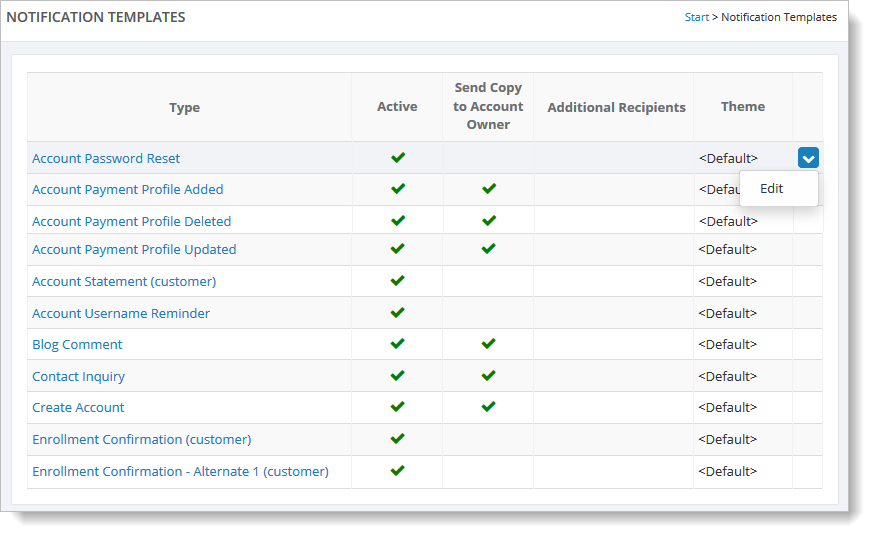
On this page, you'll see a list of all of the built-in notification templates for your account. Depending on your account options, you may see some notifications that you are not currently using.
Click on any template to edit the text and options for that template. You will see a page like the one shown below. In this case, you can enter your own text for the top and bottom of the notification email. The content in the middle will be supplied by Main Street Sites. In the example below, the content supplied automatically for the enrollment confirmation is the class date, time, teacher, etc.
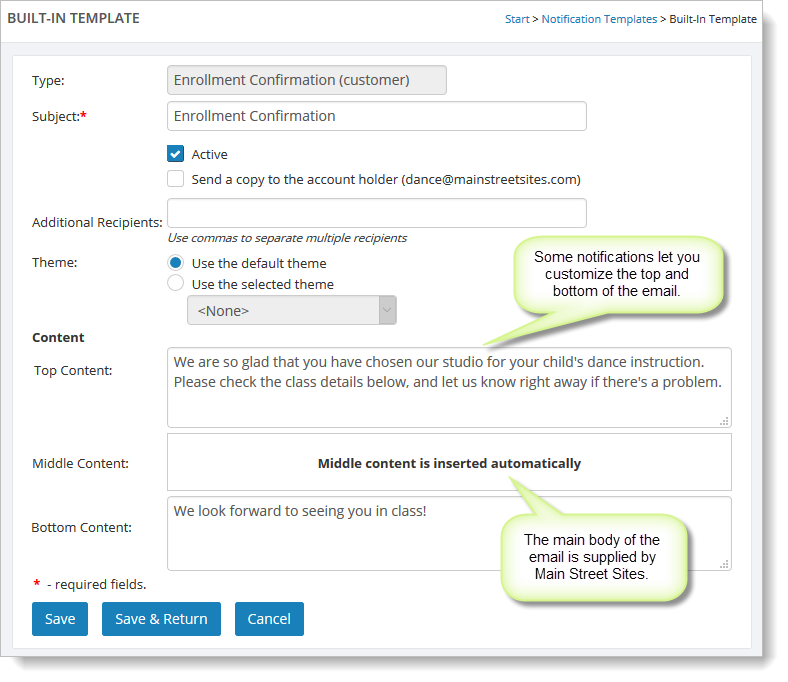
Not all notifications allow you to add top and bottom content. This option is only supported for emails that will be sent to your customers.