How to approve blog comments
If you have created a blog and selected the "Is Moderated" option, you will need to review and approve any comments made on your blog before they will appear on your site. You will know when to do this because you will receive email notifications when a comment has been posted to your blog.
Note: You must first create a blog as described in How to create blogs before you can approve any blog posts.
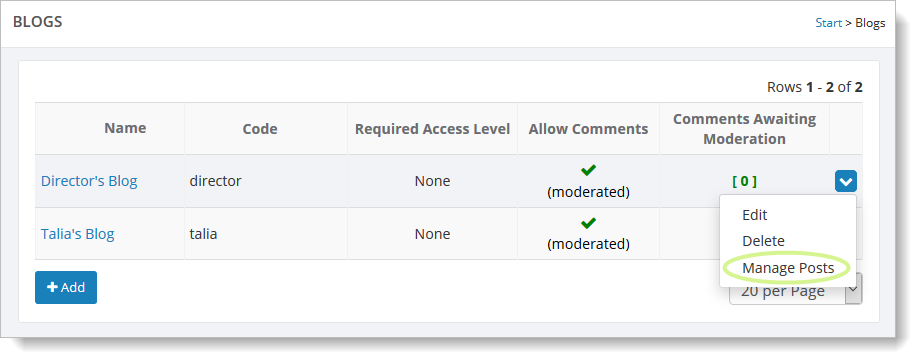
To approve a blog post, go to Website > Community > Blogs. Hover over the blog and click
on the far right blue down arrow. Select the "Manage Posts" command.
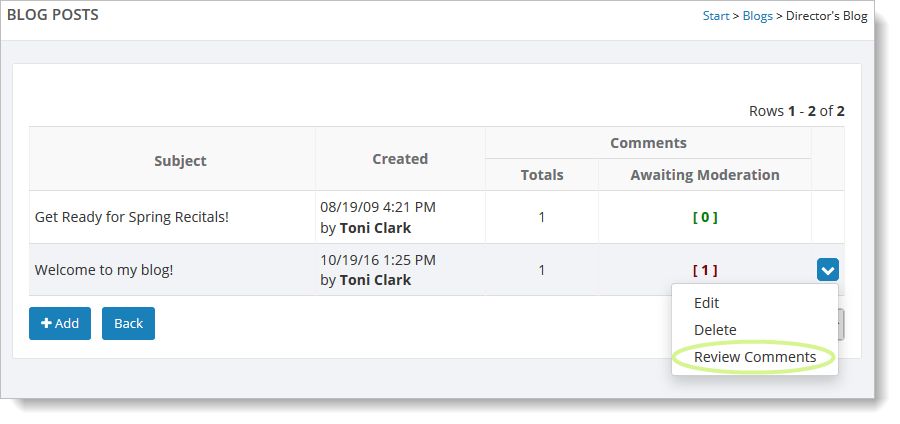
To review comments for a particular blog post, hover over the post and click on the far right blue down arrow. Select the "Review Comments" command. Note that if comments need to moderated, a number will appear in the "Awaiting Moderation" column, as shown below.
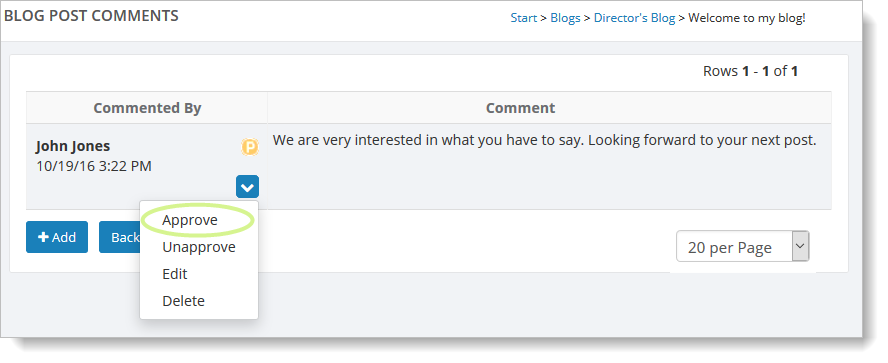
Each comment can be approved, edited or deleted. You may wish to edit a comment before approving it.
Once you are ready to approve a comment, just click on the "Approve" link.
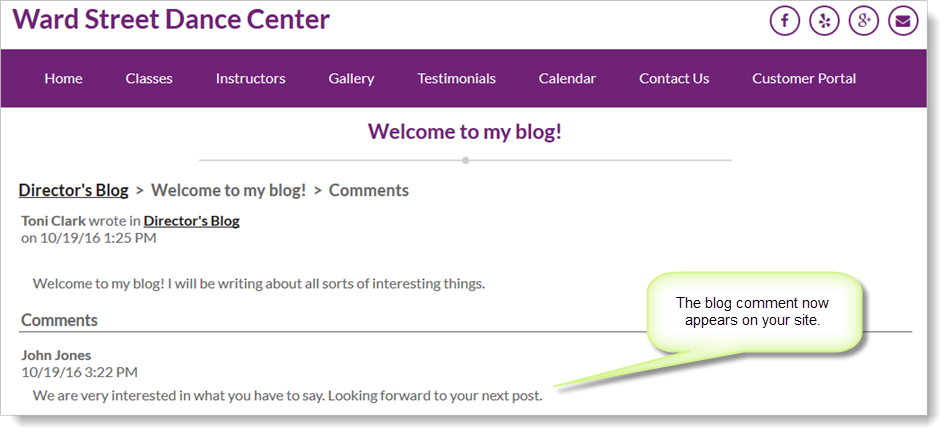
The comment will now appear on your blog.