How to use the Enrollment Event Log
The Enrollment Event Log is a feature for tracking all of the recent enrollment updates, additions and deletions in your Main Street Sites account. Having this information centralized in a single place can be very useful for reviewing the billing status of your customers.
For example, if you create recurring fees for your students and families, you can use the log to make sure you have updated recurring fees for all students who have changed their enrollment status. Similarly, if you wish to post fees for your students manually each semester, the log can give you a quick way to access each student who has has enrolled since you last posted fees. If you like to do some exit processing each time a student or family leaves your business, the log can show you all of the recent drops as well.
Turning on the Enrollment Event Log for all accounts
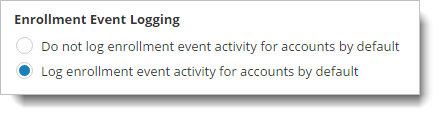
There is a master switch for enabling the Enrollment Event Log at Setup > General > Settings. Select the setting to "Log enrollment event activity for accounts by default." This turns on the feature for all of your active accounts:
Turning the Enrollment Event Log on or off for a particular account
It is also possible to activate this feature for one or more selected accounts. This approach can be used in cases where some customers are billed one way and some are billed a different way.
To change this setting at the account level, go to Manage > Accounts > Accounts, locate and display an account, and select the More tab. Select the Billing tab.
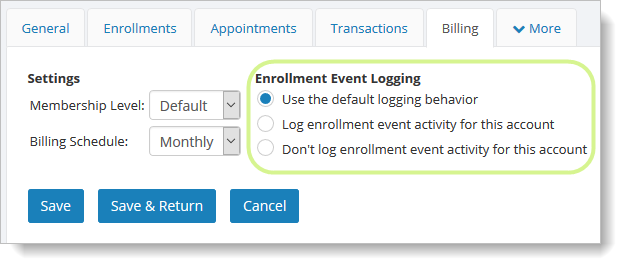
When the "Use the default logging behavior" option is selected, the account will behave however the master switch is set. Otherwise, the other two options can be used to explicitly turn the feature on (or off) for a particular account.
Using the Enrollment Event Log
The Enrollment Event Log can be found by going to Manage > Accounts > Enrollment Event Log. The log will show all accounts that have unhandled enrollment events. You can use the "Show Accounts with" selector to show handled events as well if you'd like to.
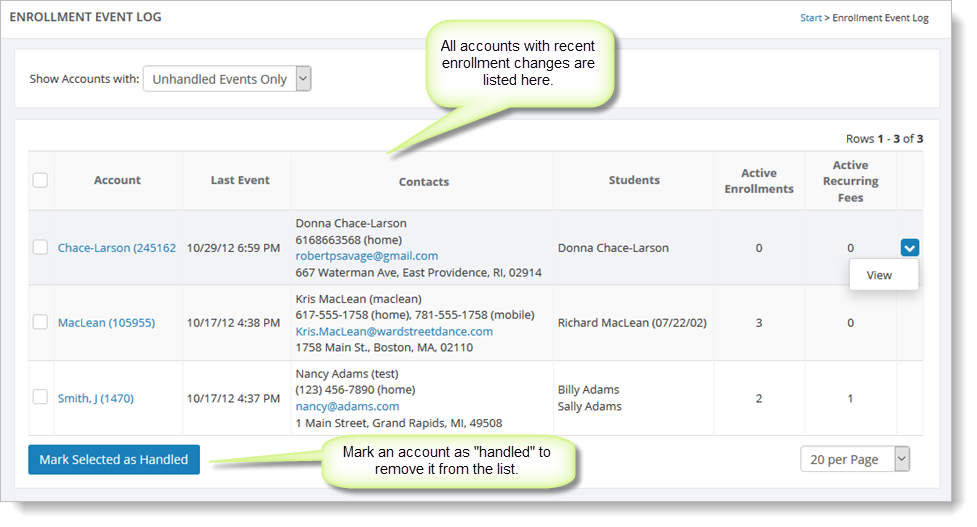
To view the enrollment events for a particular account, hover over the account and click the blue down arrow on the far right. Select the "View" command. Note that if you select the account name from this grid, you will go to the General settings (tab) for this particular account.
The detailed enrollment event log page for a particular account shows the active enrollment for the account, the active recurring fees for the account, unhandled events, billing settings and receivables. If you use recurring fees to bill your customers, you can use this page to review the active enrollments for an account and adjust the recurring fees accordingly.
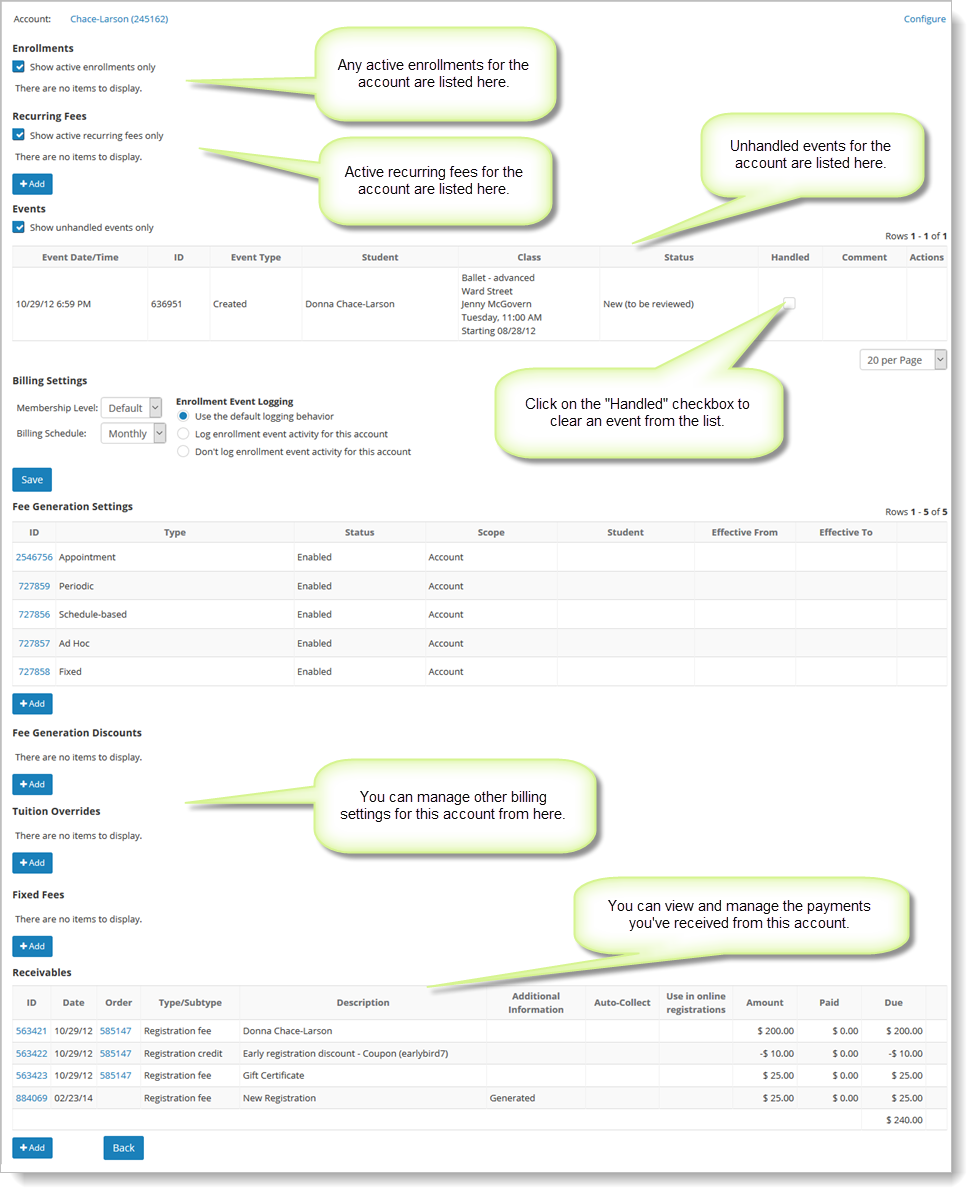
Once you have handled an event or set of events, mark them as "handled" in the Events grid to remove this account from the list of unhandled events.