Account Settings Tab
The Account Settings tab is used to set a limit on the number of make-up classes a student can take in a semester.
Note: If a student registers for a make-up class without logging in to his or her account, Main Street Sites cannot check the student-specific limit. In this case, Main Street Sites uses the default limits specified on the Make-Up Settings page (Setup>Settings>Make-Up Settings).
To get to the Setting tab, first select Manage > Accounts > Accounts. Locate and open an account. Click on the More tab, which displays a list of additional tabs, and click on Settings.
Note: Please see the Account Common Actions for a guide to commonly used account features.
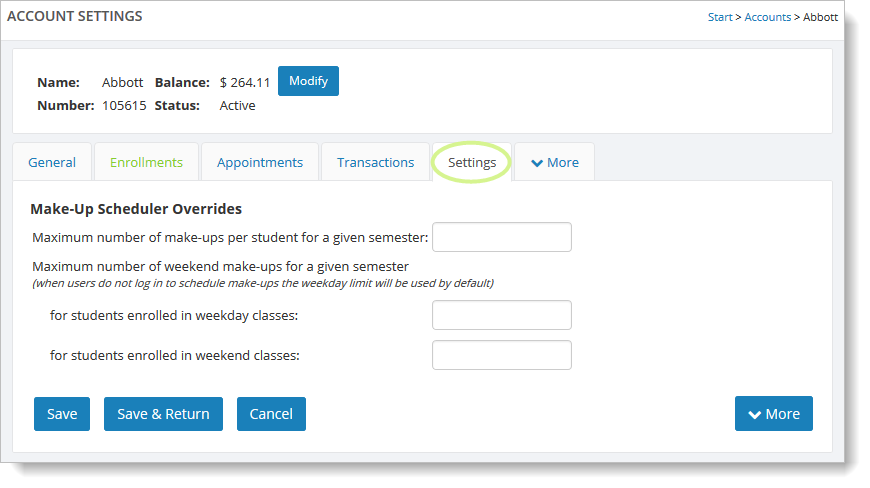
You can limit the make-up classes for weekday classes, weekend classes, or both.
When limiting make-up classes for weekends, you can have a different limit for those students who are only taking weekday classes than for those students who are only taking weekend classes.